






Service level objective (SLO)
Last updated on October 20, 2026
What is a service level objective (SLO)?
A service level objective (SLO) is a measurable reliability target that defines what “good service” looks like for users, expressed as a percentage or threshold over a defined time window. SLOs are the operational foundation of site reliability engineering (SRE), giving teams a shared, measurable definition of reliability.
Every SLO has three required parts:
- The service level indicator (SLI) being measured
- The target threshold
- The measurement window
A complete example: “99.9% of HTTP requests return a successful response within 500ms, measured over a rolling 28-day window.” SLOs are internal targets set by engineering teams, not external promises to customers. That’s the line separating an SLO from a service level agreement (SLA).
SLO vs. SLA vs. SLI: understanding the relationship
SLIs, SLOs, and SLAs are related but serve distinct purposes.
| Term | Definition | Who sets it | Consequence |
|---|---|---|---|
| SLI | The raw metric being measured, such as request success rate | Engineering team | None directly. It’s an input, not a commitment |
| SLO | The internal target for that SLI over a time window | Engineering team | Error budget depletes and reliability work takes priority |
| SLA | The customer-facing contractual commitment | Legal, product, and engineering | Financial penalties, service credits, or contract termination |
| Error budget | The unreliability an SLO leaves room for | Derived from the SLO target | When exhausted, feature work pauses until reliability recovers |
SLOs are almost always set more aggressively than SLAs, so teams catch reliability risk before a contractual commitment is breached.
Error budgets and engineering decisions
An error budget is the amount of unreliability an SLO allows. The formula is:
Error budget = 100% – SLO target
If your SLO is 99.9% availability over 30 days (43,200 minutes), your error budget is 0.1%, or 43.2 minutes of allowable downtime. When the budget is full, you ship features. When it’s nearly exhausted, reliability work takes priority.
Common SLO examples with formulas
Availability SLO
SLI: The share of requests that return successfully.
- Formula: (Successful requests / total requests) × 100
- Realistic target: 99.9%
Latency SLO
SLI: The share of requests that complete under a defined threshold.
- Formula: (Requests under 300ms / total requests) × 100
- Realistic target: 95% of requests complete in under 300ms
Error rate SLO
SLI: The share of requests that fail.
- Formula: (Failed requests / total requests) × 100
- Realistic target: below 0.1%
Common availability targets and allowable downtime per 30-day month
| Availability target | Allowable downtime per month |
|---|---|
| 99% | 432 minutes |
| 99.9% | 43.2 minutes |
| 99.95% | 21.6 minutes |
| 99.99% | 4.32 minutes |
How to define SLOs
The process follows six steps, adapted from the SLO methodology Google’s SRE teams documented in the SRE Workbook.
- Identify the critical user journeys that matter most. Start with the ones where degradation directly affects users or revenue.
- Choose the SLI that best reflects user experience. Response latency often matters more than raw availability.
- Set the target based on historical performance data, not aspirational benchmarks.
- Define the measurement window and data source. Rolling 28-day windows are common for tracking, though 30-day months are the convention for downtime math. Document which system provides the raw SLI data.
- Establish an error budget policy that specifies what happens when the budget is exhausted and who decides.
- Review and iterate quarterly. SLO targets should evolve as your service and user expectations change.
Two mistakes to avoid: setting a 100% target eliminates the error budget entirely, which removes the mechanism the whole framework runs on. Setting too many SLOs at once spreads attention thin, so start with three to five per critical service.
SLO tracking and monitoring
A useful SLO dashboard shows current status, error budget remaining, burn rate, and recent incidents. Burn rate is the leading indicator to watch.
Burn rate measures how fast you’re consuming error budget relative to the measurement window. A burn rate of 1 spends the budget exactly by the end of the window. A burn rate of 10 spends it in a tenth of the time.
A burn rate alert fires when consumption outpaces that baseline, giving teams time to act before the SLO is missed. Without burn rate monitoring, you can be inside your target today and outside it by tomorrow morning.
SLOs in SRE practice
In SRE, SLOs replace subjective reliability debates with a shared, quantitative language between engineering and product teams. Three places where that language does real work:
- Arbitrating feature velocity versus reliability work: instead of product and engineering renegotiating priorities every quarter, the error budget makes the call.
- Informing postmortems: SLO data shows how much of the error budget an incident actually consumed, which determines how urgent the remediation is.
- Shaping on-call alerting policy: alert on burn rate, not raw metric thresholds. A slow, steady burn that never trips a threshold can still drain the budget before anyone notices.
For how SLOs fit into the broader SRE toolchain, see SRE tools and SRE monitoring tools.
SLO health and incident response
Two things determine how much error budget an incident consumes: how fast you detect it (MTTD) and how fast you resolve it (MTTR). A single event can trigger thousands of alerts. Without correlation, teams can’t reliably distinguish a budget-burning incident from low-priority noise.
A single misclassified P1 can exhaust a 99.9% error budget in under an hour. According to Enterprise Management Associates (EMA) research, unplanned downtime costs large enterprises an average of $23,750 per minute. Teams that track burn rate continuously can catch a budget-draining incident before it becomes an SLA breach.
AI-driven incident management and SLOs
BigPanda doesn’t replace dedicated SLO tooling. SLO platforms measure the budget; the BigPanda platform helps protect it by shortening the detection and resolution time that determines how much budget each incident consumes.
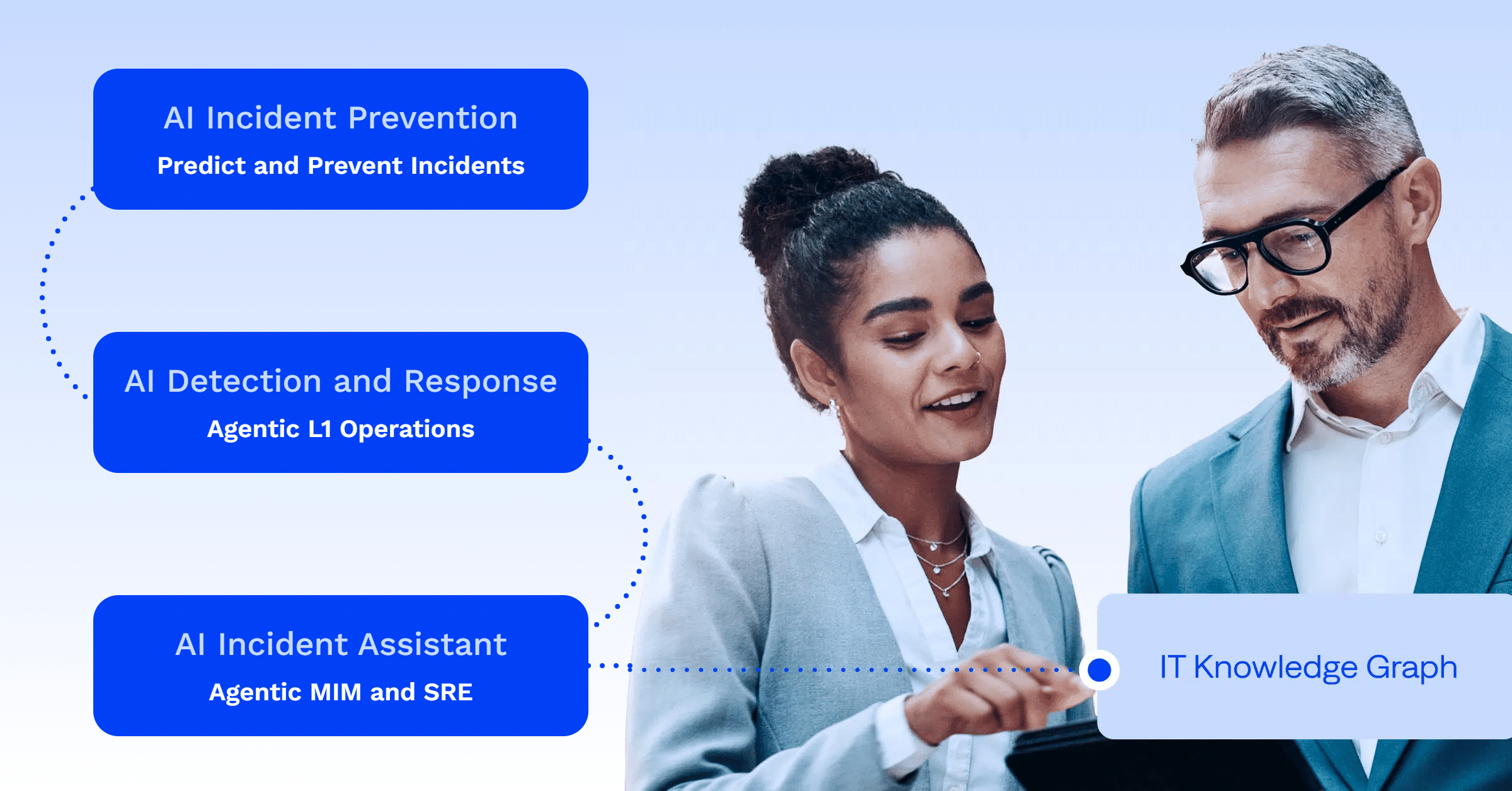
AI Detection and Response correlates signals across observability data, service desk activity, and external dependencies to surface each incident with a unified summary and suggested next steps. See how the full detection and response workflow operates on the AI Detection and Response product page.
AI Incident Prevention assesses change risk before deployment, reducing the chance that a release consumes error budget before teams can respond.
The IT Knowledge Graph unifies observability, ITSM, change, and organizational data so that when a burn rate alert fires, the responding team gets root cause context, related changes, and historical resolution patterns.
Frequently asked questions about service level objectives
What is the difference between an SLO and an SLA?
An SLO is an internal reliability target set by the engineering team. An SLA is a customer-facing contractual commitment with financial penalties if breached. SLOs are set more aggressively than SLAs so teams detect reliability risks before a contractual breach occurs.
What is a good SLO target?
A good target reflects the performance level at which users start to notice degradation, grounded in historical data. For most web services, 99.9% availability is a common starting point. Avoid 100%: it eliminates the error budget.
How do SLOs and error budgets work together?
An SLO defines the reliability target. The error budget is the unreliability that target implies, and it falls out of the SLO automatically rather than being set separately. A 99.9% SLO over 30 days gives you 43.2 minutes of allowable downtime.
What is an SLI and how does it relate to an SLO?
A service level indicator (SLI) is the raw metric being measured, such as request success rate or latency. An SLO is the target value for that SLI over a defined time window. Every SLO requires an SLI.
How often should you review and update your SLOs?
Quarterly reviews are standard practice. An SLO that never changes is probably not being used.
What happens when you exceed your error budget?
Feature work pauses and reliability improvements take priority until the budget recovers. Without a written policy for what happens at zero, the target is advisory only.
How does SLO tracking differ from traditional uptime monitoring?
Uptime monitoring tells you whether a service is up or down right now. SLO tracking measures cumulative reliability over a time window and surfaces burn rate as a leading indicator. You can be “up” by uptime monitoring while still burning through your error budget.
What does SLO mean in SRE?
In SRE, an SLO is the agreed target that defines acceptable reliability for a service, expressed as an SLI, a threshold, and a measurement window. It’s the instrument SREs use to prioritize engineering work, and the source of the error budget that makes that prioritization concrete.
PLATFORM
BigPanda Agentic ITOps
See how BigPanda uses agentic AI in IT operations.